Meta tags, headings, canonicals, and image alt — found and fixed
The unglamorous work that moves rankings: continuous audits find broken titles, missing descriptions, heading problems, canonical errors, and empty image alt text — and the fixes get applied for you.
Free AI-visibility scan · No credit card · Cancel anytime
Set up in 3 simple steps
The audit finds what is broken
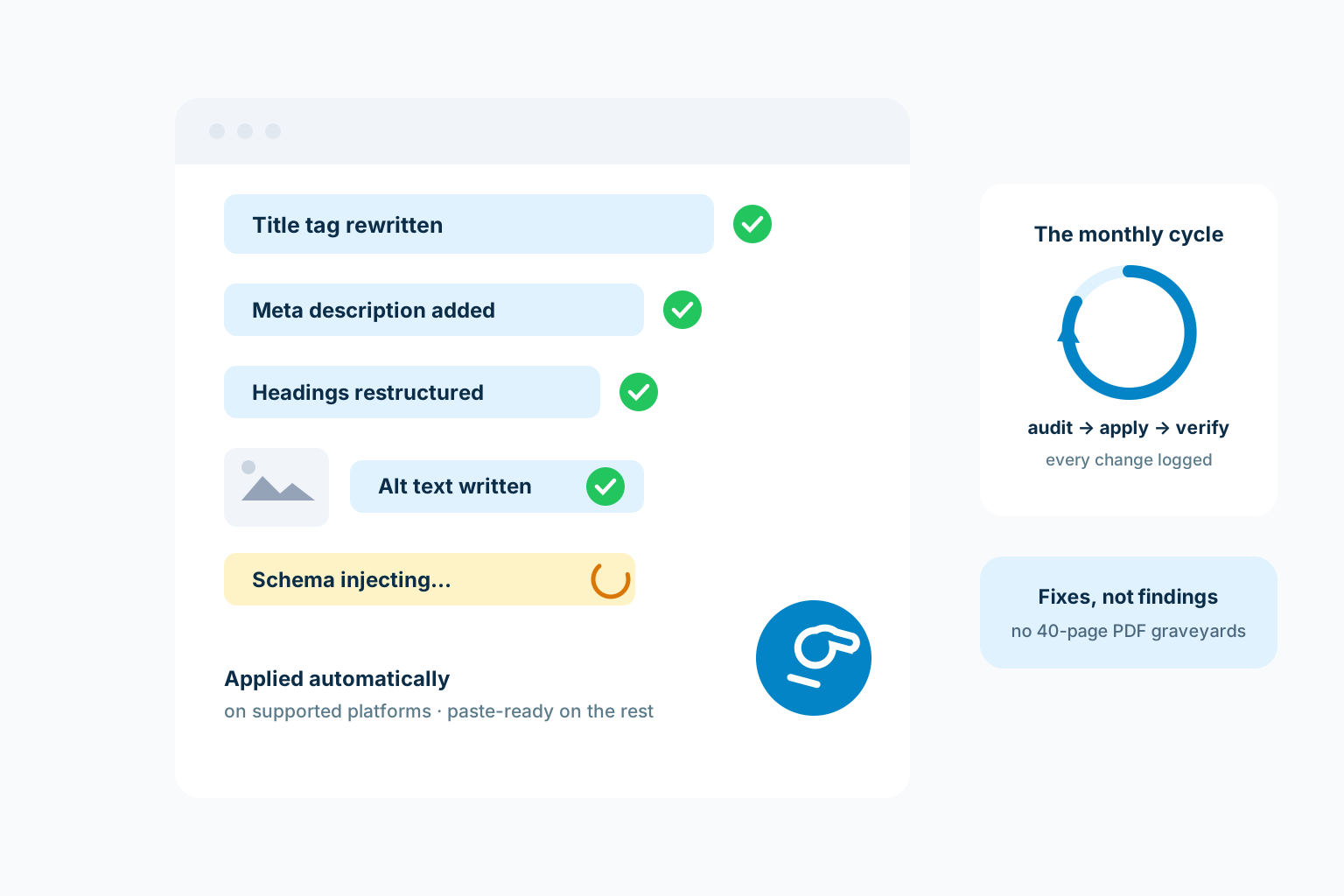
Titles, metas, headings, canonicals, image alt text, and schema get checked across your pages on a monthly cycle.
Eligible fixes enter a bounded apply path
Supported platforms can receive low-risk changes only after the action has evidence, verification, canary, and rollback coverage.
Closed platforms get paste-ready fixes
Where direct writes are not possible, each fix arrives as exact paste-ready text with its location — the shortest possible path from finding to fixed.
The audit report graveyard
- A 40-page PDF of findings nobody actioned
- Broken titles and missing metas quietly costing clicks for months
- Schema absent, so rich results never trigger
- Every fix waits on a developer who has other jobs
With Autonomous On-Page Fixes
- Fixes applied to your actual pages on supported platforms
- Paste-ready corrections where platforms are closed — never a bare finding
- Schema injected where allowed, copy-ready where not
- A monthly cycle, so drift gets corrected instead of accumulating
What you get
- Continuous site audits across every page, not just the homepage
- Fixes auto-applied on WordPress, Ghost, and webhook-connected sites
- Webflow and Shopify: metadata, headings, image alt, and internal links auto-applied
- Closed builders (like GoDaddy sites) get every fix ready to paste, with instructions
How it works
Monthly audits detect issues rule by rule; the fixer proposes each change, applies it on platforms that allow it, and keeps a rollback window. Where a platform has no publishing API, you get the exact fix as copy-paste text instead — the work still gets done.
Auto-apply coverage varies by platform and we say so per platform — schema injection, for example, is not supported by Webflow or Shopify’s APIs, so those fixes arrive paste-ready there.
Why on-page drift is the silent tax
On-page health decays quietly: a theme update eats your titles, a new page ships without a meta, an image upload skips its alt text. None of it announces itself — it just skims clicks off every search, month after month, on every page at once. The classic audit-report model documents the tax in a PDF and never collects the refund; the findings age in an inbox while the decay keeps compounding.
The autonomous model closes the loop: the same system that finds a broken canonical writes the correct one, on platforms that allow writes. The distance between "found" and "fixed" drops from a project to a cycle.
Exactly what happens on closed platforms
Honesty about the boundary: website builders without write APIs cannot receive automatic fixes — no tool can change that, whatever its marketing says. There, every finding ships as a paste-ready fix: the exact corrected text, the exact location, ready for whoever holds the login.
The distinction is declared per platform in your portal, not discovered by disappointment. WordPress, Ghost, and webhook-connected sites take the full automation; the rest get the shortest honest path.
The monthly rhythm, logged
The cycle is audit, apply, verify: findings surface, eligible fixes apply, and the next audit confirms they held. Every applied change lands in your portal timeline with a timestamp — which page, which element, what it said before and after — so the work is a record, not a claim.
That log matters more than it sounds: when rankings move, you can line the movement up against the fixes that preceded it, and when a platform update re-breaks something, the history shows it was fixed once and will be again. Maintenance without memory is just repetition — and repetition billed monthly is the oldest trick in this industry.
Fixes that ship themselves
Missing titles, weak descriptions, broken schema, thin headings — found by the scan and fixed on the site where your platform allows it, or delivered paste-ready where it does not. Either way the finding never just sits in a report.
- Applied automatically where possible
- Paste-ready instructions everywhere else
- Every fix logged with before and after
Illustrative layout — decorative shapes, not data. Your real numbers come from your scans, stored verbatim in your portal.
Watch the issue count fall
Each cycle re-scans the site, so fixed issues stay verifiably fixed and new ones get caught early. The number that matters — open issues — becomes a line trending down instead of a PDF nobody opens.
- Re-scanned every cycle, regressions caught
- Open-issue trend in your portal
- Prioritized by ranking impact
Illustrative layout — decorative shapes, not data. Your real numbers come from your scans, stored verbatim in your portal.
Autonomous On-Page Fixes FAQ
What does an on-page SEO tool fix automatically?
ClawSignal audits page titles, meta descriptions, heading structure, canonical tags, and image alt text. Eligible low-risk changes use governed adapters; unsupported or high-risk changes remain paste-ready or require approval.
What happens on website builders that don’t allow automatic changes?
You still get every fix — as exact ready-to-paste text with instructions. Closed builders like GoDaddy never mean lost work, just one manual paste.
Which platforms support automatic fixes?
Direct application runs on WordPress, Ghost, and custom webhook integrations, with schema injection where the platform allows. Webflow, Shopify, and closed builders receive paste-ready fixes with exact locations. Your portal declares the mode per connection.
Can an automatic fix break my site?
Fixes are scoped to on-page metadata and content elements — titles, metas, headings, canonicals, alt text, schema — never theme code or plugins. Every applied change is logged in your portal timeline, so there is a full record of what changed and when.
What kinds of fixes move rankings the most?
The unglamorous trio: titles that actually name the service and place, metas that earn the click, and schema that unlocks rich results. None is dramatic alone; applied consistently across every page, every month, they compound into the technical floor everything else stands on — which is exactly why they are automated rather than left to willpower.
More features
Put Autonomous On-Page Fixes to work
Start with a free scan. ClawSignal finds the strongest opportunity, prepares the work, and keeps every change behind your approval.