The SEO data layer: an API for your tools, an MCP server for your AI
Everything the portal shows is readable programmatically: rankings, AI-visibility answers, audits, deliverables. Generate unlimited API keys on any plan, or point Claude, Cursor, or any MCP-capable assistant at the live MCP server and ask questions in plain language.
Free AI-visibility scan · No credit card · Cancel anytime
Quickstart — three commands of work
Developer settings, one click, no sales call. Keys are unlimited on every plan; API usage is metered with a transparent meter in the portal and simple top-ups when you need more volume.
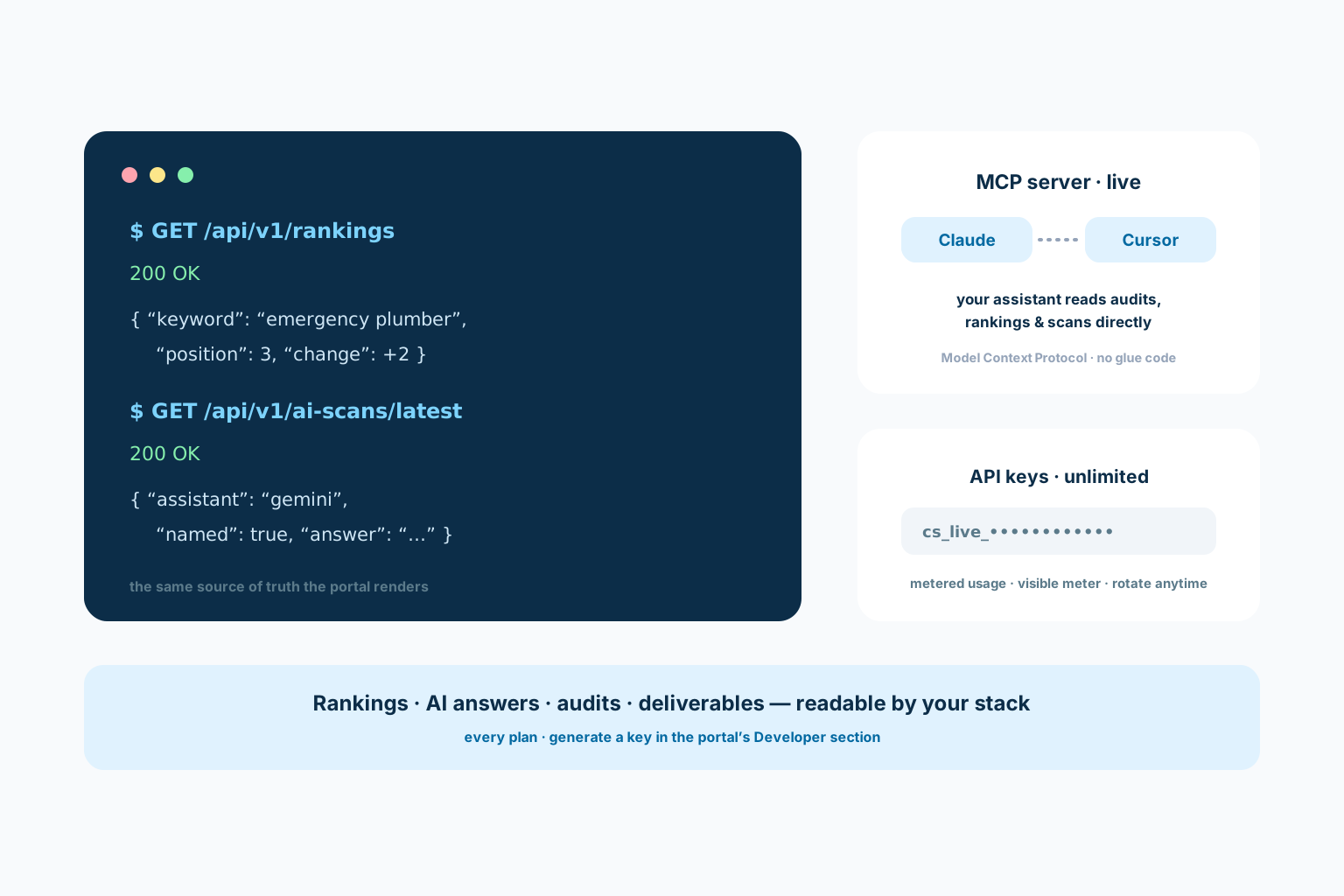
REST endpoints return the same source of truth the portal renders — keyword positions, AI-scan answers with verbatim text, audit results, and the deliverable log with evidence attached.
The MCP server is live: connect it to Claude, Cursor, or any Model Context Protocol client and your assistant can fetch audits, rankings, and visibility answers itself — no wrapper scripts, no CSV exports.

Same source of truth the portal renders — readable by your stack.
Built API-first because we use it ourselves
ClawSignal’s own portal, reports, and automations run on the same data layer the API exposes — the endpoints are not an afterthought bolted onto a dashboard. When a scan records what ChatGPT, Claude, Gemini, or Grok answered, that verbatim record is immediately readable over the API, timestamped and attributable.
That matters if you are building on top: client dashboards, internal reporting, alerting, or agents that act on ranking changes. You get the raw material — actual positions, actual answers, actual deliverables — rather than a pre-blended score you cannot decompose. Responses are plain JSON with stable field names, keyed the way the portal itself reads them, so what you build against today is what the product team builds against too — not a second-class export that drifts.
MCP: your AI assistant as the interface
Model Context Protocol turns the integration inside out: instead of writing code that calls our API, you connect the ClawSignal MCP server and ask your assistant directly — which keywords moved this month, what did Gemini answer about this business, what shipped last cycle. The assistant fetches live data and reasons over it.
Setup is deliberate minutes, not a sprint: generate a key in the portal’s Developer section and point your MCP client at the server endpoint listed in the docs. It is live today — this page would tell you plainly if it were not. The practical wins compound quickly: an agency operator asking their assistant for a per-client summary before a call, a developer wiring ranking changes into a Slack alert, an owner asking in plain words what shipped last month and getting an answer grounded in the actual deliverable log rather than memory.
The request log tells the story
Clean REST reads over the entities you care about: rankings, scans, audits, deliverables. Metered usage with a visible meter — no surprise bills, no opaque quotas, and keys you can rotate any time.
- Unlimited keys on every plan
- Rankings, answers, audits, and logs over REST
- Rotate or revoke keys from the portal
Illustrative layout — decorative shapes, not data. Your real numbers come from your scans, stored verbatim in your portal.
From key to working integration
The docs cover the endpoints and the MCP connection with copy-paste examples. Most integrations are a same-day job: authenticate, read, render — the shape of the data does the rest.
- Endpoint reference in the docs
- MCP server live for Claude, Cursor & friends
- Same source of truth as the portal
Illustrative layout — decorative shapes, not data. Your real numbers come from your scans, stored verbatim in your portal.
Developers & AI FAQ
How many API keys do I get?
Unlimited, on every plan. Usage itself is metered with a transparent meter in the portal and inexpensive top-ups — the keys are never the bottleneck.
Is the MCP server actually live?
Yes — live today. Generate an API key in the portal’s Developer section and point Claude, Cursor, or any MCP-capable client at the server endpoint in the docs. If this ever changes we will label it plainly rather than quietly break you.
What data can I read over the API?
The portal’s source of truth: keyword rankings over time, AI-visibility scans including the verbatim assistant answers, audit results, and the deliverable log with evidence. If the portal can show it, the API can serve it.
Can I build client-facing dashboards on this?
Yes — that is a primary use case, especially for agencies. Pull each client’s numbers into your own presentation layer; the data is yours to render, and portal seats mean the client can still check the raw record whenever they like. Because the API returns the evidence alongside the numbers, your dashboard can link every claim it makes back to the deliverable behind it.
Is there a sandbox or free way to try it?
Run the free scan first — it exercises the same engines. API access itself comes with a subscription, and the metered model means trying a small integration costs little before you commit to volume.
Related
See what ClawSignal should do first for developers & ai
Run the free scan to find the clearest visibility gap. ClawSignal turns that diagnosis into approved work and measured results.